Ludo
Ludo is a digital arcade with accessible games and tutorials designed to appeal to people who don't play video games, but want to. It was developed as my senior capstone project for my Creative Technology and Design degree.
Play Ludo here!
This is a short documentation video I made to cover the purpose of the project, the design choices that went into it, and how it actually plays. The information will be covered more thoroughly in this page, but this gives a good overview of the project.
Progress Blog
I documented the week-to-week progress of Ludo on my progress blog, linked here, if you'd like a more in-depth coverage of the development process!

The Design of Ludo
Ludo was built on a few core principles:
1. Short, easy-to-learn games that find a balance between simplicity and fun
2. Intuitive tutorials that give the players the information they need to succeed
3. A natural difficulty curve over the course of the three games

The Games
Whenever I have conversations about games with people who don't play them, one of the most common topics they bring up is the excessive violence and action they see in most mainstream games. While I agree that a large amount of popular games can be violent, I find that this comes more from a lack of relatability to the subject matter. If you didn't grow up playing games, you're not going to see the potential enjoyment that you can get from playing a first-person shooter. You're just going to see the violence and not the underlying game systems that really drive the enjoyment. Because of this, I wanted to make all of the games as relatable as I could, without them becoming boring.
The first game "Have a Nice Fall" (funny, I know), is pretty straightforward in concept. You're just a guy stumbling down a hill in a two-button arcade game format. "The Long Haul" is essentially just a road-trip endless-runner, and "Snowed In" is a snowball fight as an FPS. These are all simple, relatable concepts that prevent even the most conservative of players from feeling alienated.
Making the games arcade-y was also a pretty natural choice, as it's a format most people are familiar with. It also allows me to generate a lot more game than I would be able to if I were to make something more linear and content-driven. Whenever I think of non-gamers, it's usually an older audience, so the arcade style also caters to them. In fact, the original concept for the project was a desktop arcade cabinet!
This nostalgic quality is also something I tried to emulate with the pixel art, another artifact of the arcade-era. This was a win-win though, as in the past 10 years or so, pixel art has really shot into the mainstream with games like Minecraft providing a modern context for the style.

The Tutorials
The tutorials were one of, if not the most crucial part of Ludo, especially its accessibility. Before starting on the project, I was imagining really in-depth, in-gameplay tutorials that take you through each game step-by-step. However, what I found from the first playtest, is that simple, clearly written instructions go a very long way. Combining personal experience with what I learned playtesting Ludo, I know that if a game is straightforward enough, most players can figure it out pretty easily. They don't want to be talked down to, they just want to be told what to do and how to do it as efficiently as possible.
This concept is what I tried to keep in mind with the tutorials. They're short, clear, and direct. I made sure to explain any mechanics / pickups / etc. and the controls, and then set them on their way. One thing I did want a more interactive tutorial for was the menu, which is more of a step-by-step walkthrough. I feel that this saves time by allowing players to see each button and be told what it does in context, rather than having to pull up the menu tutorial page over and over again. This was an aspect of Ludo that I never got to playtest, but I would like to see how it works / how necessary it really is. I would expect that it helps since, even if the menu is pretty clear itself, I probably subconsciously relied on some precedents from other games which inexperienced players might not pick up on.

The Difficulty Curve
My approach for creating Ludo's difficulty curve revolved around how many "axes of input" each game had, and the precision they required. For example, "Have a Nice Fall" only has one axis of input, up and down, and the jumping and sliding is pretty forgiving, so there isn't much precision required. Moving up to the next game, "The Long Haul," you get another axis of input with rotation. The level of precision here is only slightly increased, with the roads being relatively wide, but the punishment for hitting the walls or cacti is a complete stopping of your car, using up gas and losing your momentum in the process. As you could've guessed, "Snowed In" follows the same pattern by having three different axes. The up and down of the ducking mechanism, as well as the control of the x and y axis of rotation for the camera. The aiming requires a fairly high amount of precision as well, and the ammunition management serves as an introduction to the idea of game economies, albeit in a simplified way.
This difficulty curve was something I kept a close eye on in playtests, as I wanted to make sure it felt natural for the players. The biggest adjustment made in this respect was with the handling of the car and camera position in "The Long Haul." Players felt that the car was somewhat clunky and it was hard to tell what was coming up in time to react. To fix these issues I bumped up the turn speed of the cars, and pulled the camera back a little bit and centered the car vertically. These seemed to be just what the game needed, and I'm really satisfied with the changes.
Technical Challenges
Ludo presented me with quite a few situations I hadn't encountered before in game development. Specifically creating the illusion of endless movement, random level generation, and first-person aiming and shooting.
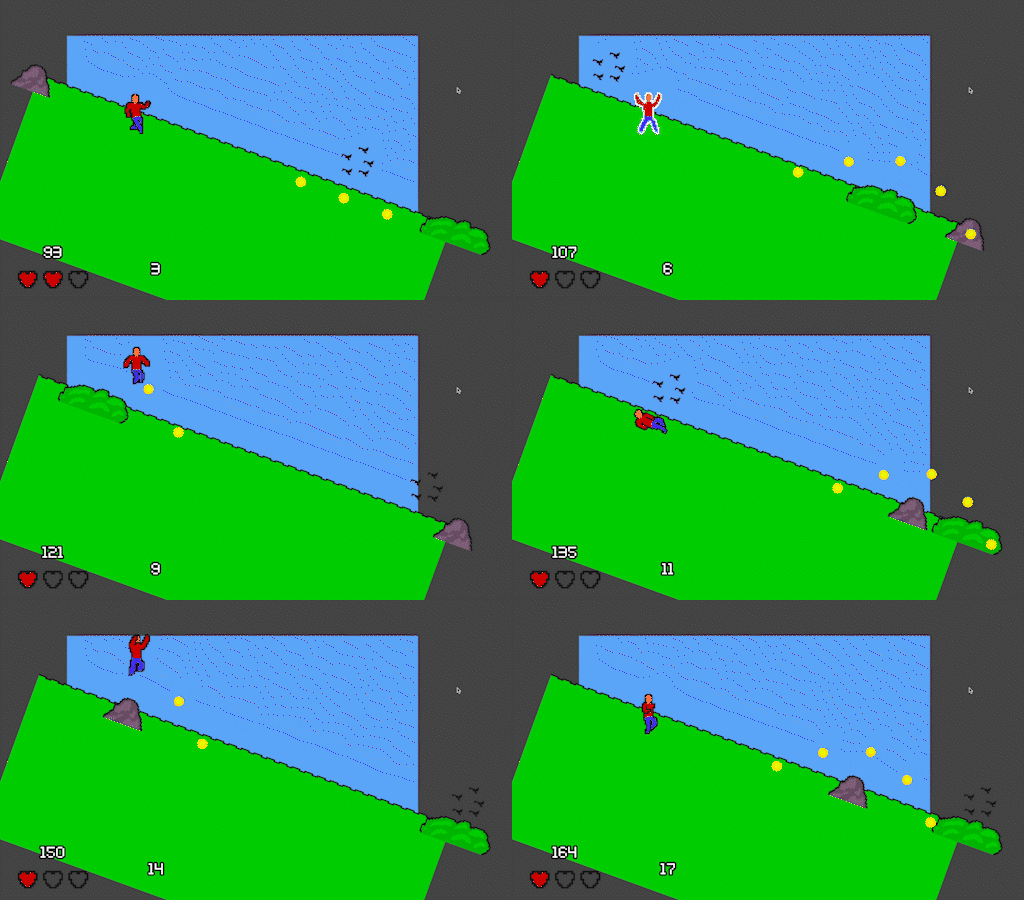
Have a Nice Fall
The biggest challenge with "Have a Nice Fall" was creating the endless running. After trying out some different prototypes, and ideas for infinite level generation, I settled on the idea of creating the illusion of endless motion, without actually making it. I did this by having the character remain stationary and limiting their movement to jumping and sliding. The level then randomly determines which object to send across the screen, with or without coins, and at what frequency. I'd say that the effect is pretty successful too! It really came together once I added in the animated grass, as it's vague enough to express the movement without too much going on.

The Long Haul
Random level generation is one of those cornerstones of game development, specifically indie game development, that I've always wanted to dive into, and and an endless arcade driving game seemed like the perfect opportunity. I had heard of an algorithm a lot of people use to generate 2D dungeons, involving tiles that have 4 possible entry / exit points that can connect to other tiles. I slightly adjusted this to accommodate roads that have an entrance and exit, as well as a direction. This was done in Godot by creating a scene for each road in each possible direction, then storing its entry and exit directions as public variables. The level code then constructs a random sequence of these tiles that, when connected, make an infinite, unbroken road.
The code above is the function for adding a single piece of road, which then gets looped a specified number of times. You can find the full project on my GitHub, linked at the top of this page.
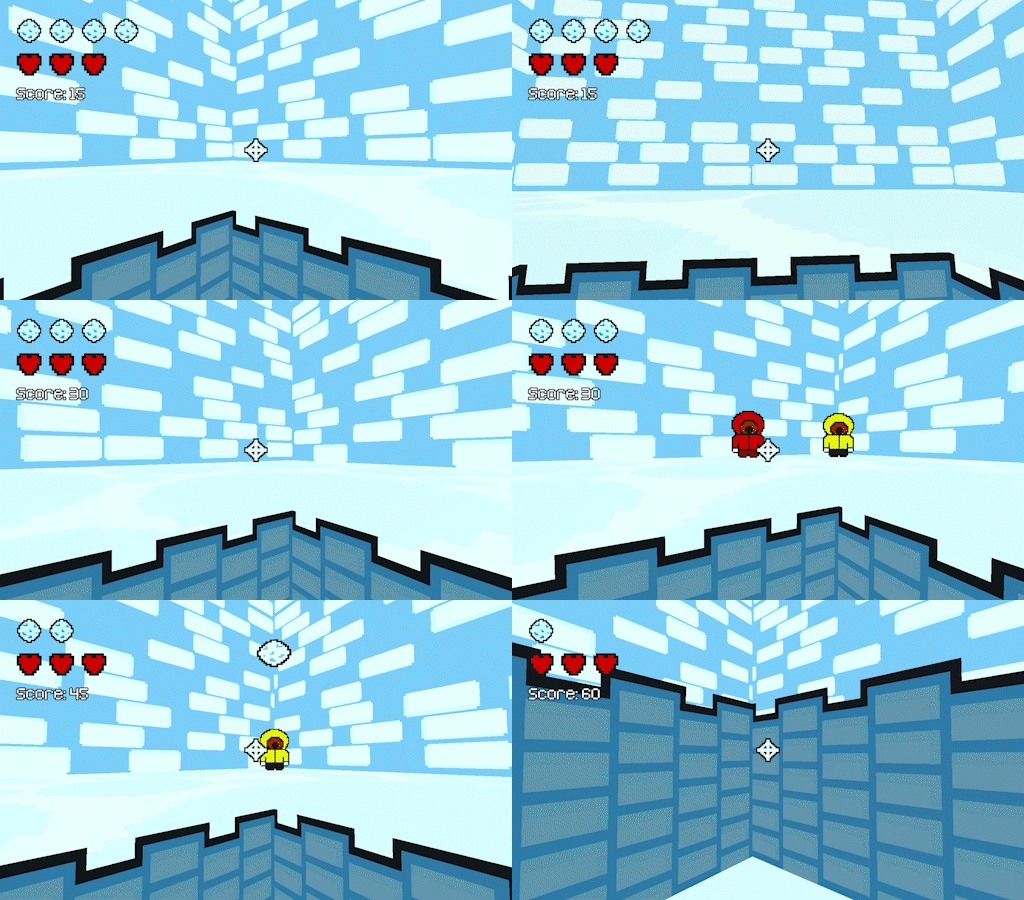
Snowed In
As I had only worked in 2D previously, the change to 3D had some good and bad that came along with it. The principles were all the same in respect to scene structure, instancing, and general engine-specific stuff. However, the addition of the third axis, as well as the change in how objects and scenes are positioned were an obstacle to overcome. After some research in the Godot documentation I found some good references for how to do that, and then consulted a tutorial on a first-person character controller in Godot. I used this, then slightly modified it to be stationary, and fire gravity-affected projectiles. Once I got a feel for Godot's 3D I became pretty comfortable with it, even getting a random location generator and some animations working as well!